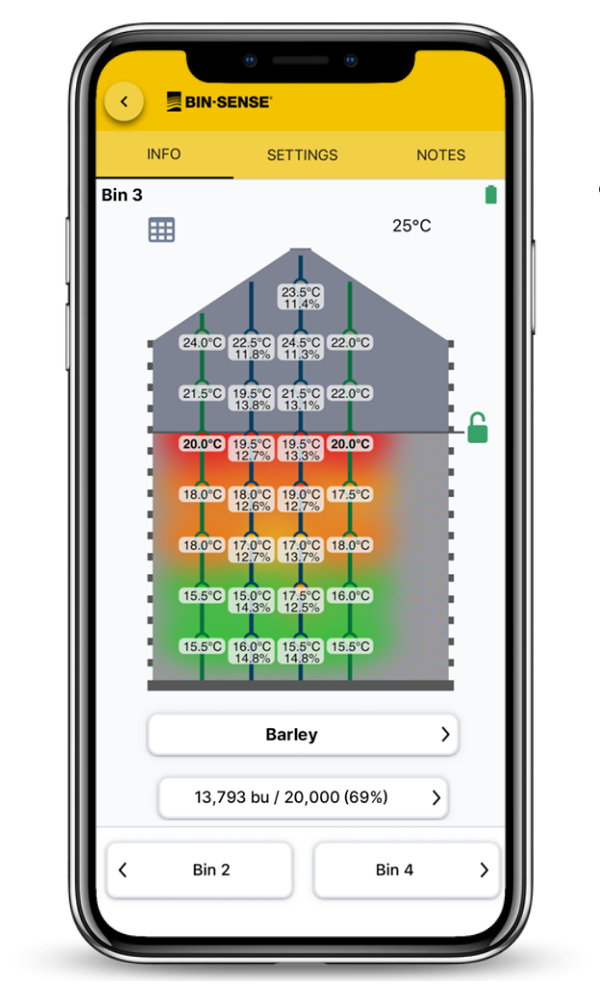
Here’s a quick overview of the more recent mobile app features to help manage your harvest. Some notable new options include:
Make sure you download the latest version of Bin-Sense Mobile App here.
Using some great customer feedback, we’ve made major improvements to our automatic level detection system (Auto level). We have seen improved speed and accuracy for Bin-Sense Live users.
Previously, updated grain levels could take up 24 to 48 hours to show after grain was added to a bin. The new software improvements now provide grain level updates in as little as 2 reporting periods, with typical grain level detection changes made within the first 12 hours.
And when aeration fans are running, users will notice that grain levels are significantly more stable and accurate. We’ve added a sensitivity control for the grain bin auto level feature, allowing users to fine-tune it to their operation’s needs and preferences.
When viewing the side view of a Bin-Sense Live or Plus bin in the mobile app, you’ll notice a lock icon to the right of the grain level. This icon shows the current status of the auto level system and provides one-click access to a feature for temporarily locking the grain level.


Another helpful feature is the ability to temporarily lock the grain level while aeration fans are running. Airflow from aeration fans often causes drastic temperature changes in the grain, which can lead to covered sensors being incorrectly marked as exposed. Additionally, warm exhaust air rising through the grain bin can create artificially stable temperatures, making the system think exposed sensors are covered.
While the latest auto level system is much better at detecting these conditions, the “temporarily lock grain level” feature allows you to quickly and easily prevent the system from changing the grain level for a preset amount of time.
To temporarily lock the grain level for a bin:
Tapping the red lock icon with the timer will show how long the grain level will remain locked. You can clear the temporary lock by tapping the ‘X’ next to the lock time. Controls for temporarily locking the grain level are also available in the auto level section of the bin settings page.
If the grain level in a bin is incorrect due to aeration fans running and you didn’t temporarily lock it—don’t worry! If auto level is turned on and the grain level has changed in the last seven days, you’ll now see a button to the left of the bin side view that lets you revert to a previous grain level.
Tapping the button opens a list of historical grain levels from the past seven days. You can select one and temporarily lock it in. Once selected, the system updates the sensor statuses to match the chosen snapshot and asks how long you want to lock that grain level.

Here are some additional features to help aid your grain bin monitoring: